

 Just install the Boostheme Toolkit app on your store. From this app, you can install the theme you want to use for the trial version. Please see more details at https://beloria-docs.boostheme.com/shopify-apps/boostheme-toolkit-app#2-install-shopify-themes.
 There is no need to install Shopify apps to manage custom product fields on the product page. Click here to view a demo.
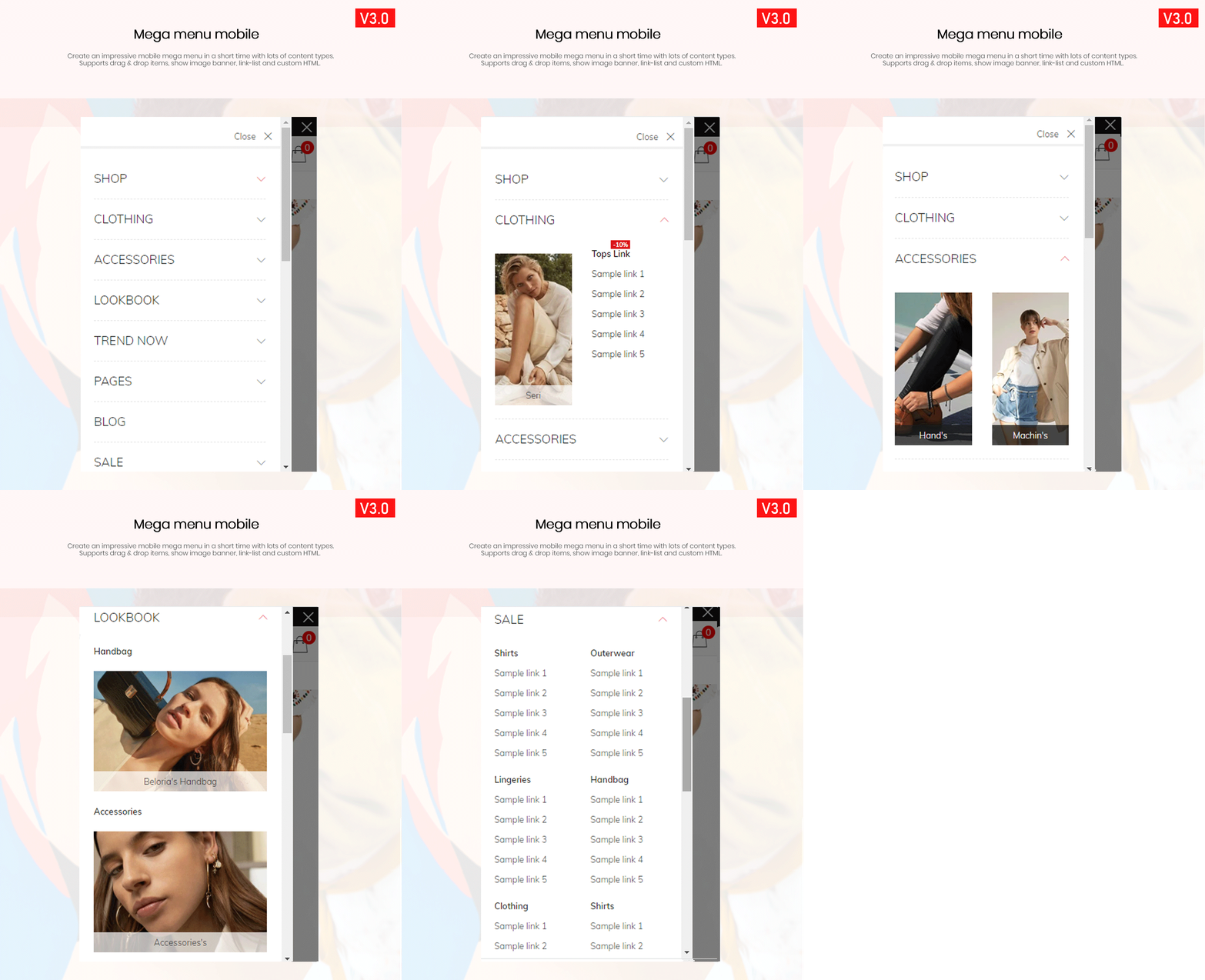 Mobile mega menu: Create an impressive mobile mega menu in a short time with lots of content types.



 No matter what device your website is displayed on, Beloria will ensure that your store loads quickly and perfectly. This includes meeting the parameters and dimensions of any device without interfering with the user experience and without requiring additional input from you or your developer.
- Check with Google Pagespeed Insights: https://developers.google.com/speed/pagespeed/insights/?hl=iw&url=https%3A%2F%2Fbt-beloria-1.myshopify.com%2F
- Testing with GTMetrix: https://gtmetrix.com/reports/bt-beloria-1.myshopify.com/iUeHibo9
- Check with WebPageTest: https://www.webpagetest.org/result/210708_BiDc79_2ab6be672e44554d257b9f0cfb8adc8f
 Customers are more likely to buy from a website in their own language. Cross-language allows you to reach customers all over the world – and increase your sales, without touching a single line of code.
 Display the site in RTL layout according to specified languages. This will help your site be displayed in LTR and RTL layouts at the same time. For example: display the site in LTR for English, and RTL for Arabic. Watch a demo at https://bt-beloria-1.myshopify.com/ar
 With 6+ Free Boostheme Toolkit Features: Multiple Languages, Cross-Sell – Buy Product Often Together, Collection Tree, Custom Countdown, Custom Tabs, Custom Size Chart. Never miss a potential customer who may be in the market for your product – they will find your products no matter where in the store they are.
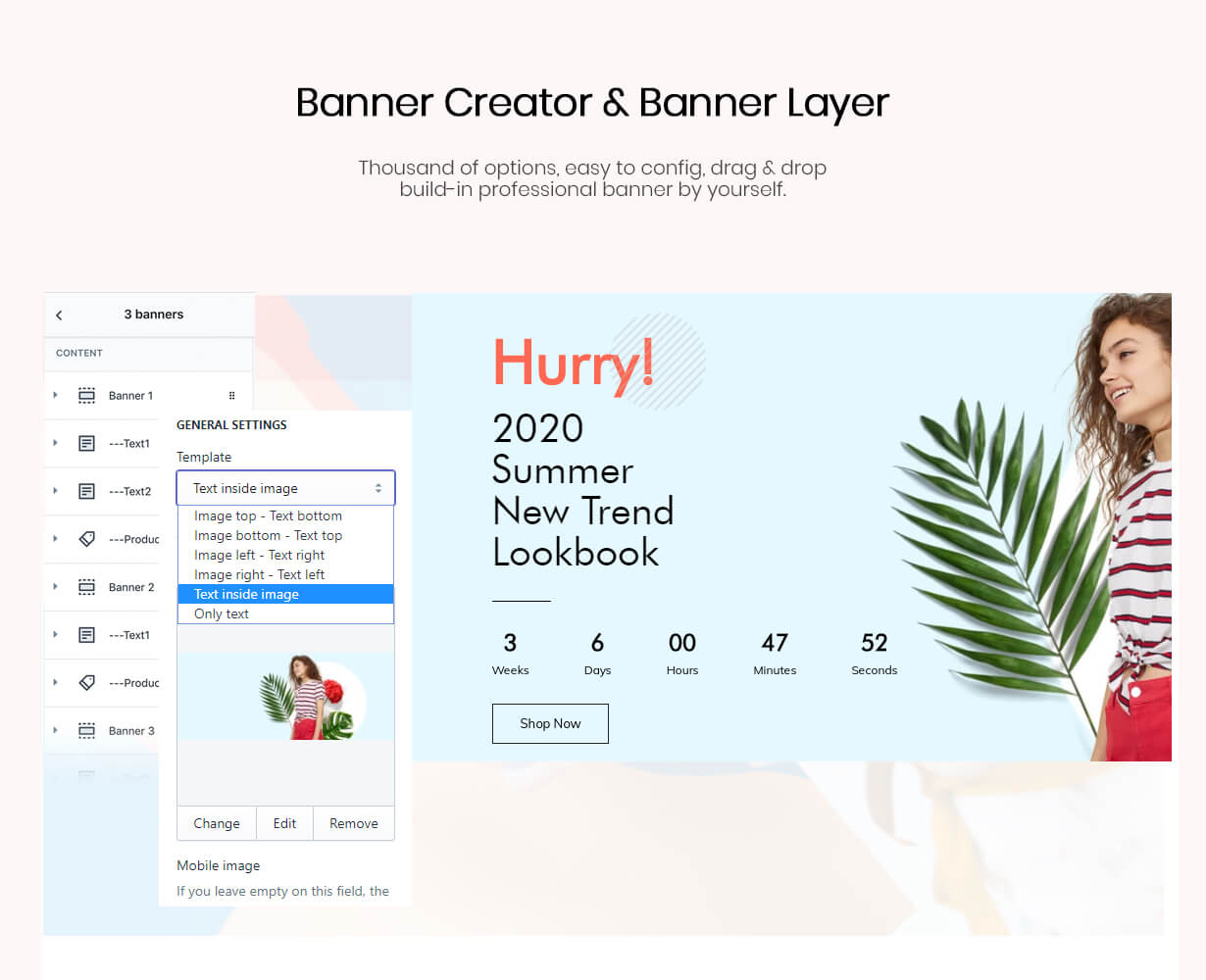 No need for technical skill, no need for any apps, Beloria supports Banner Creator and Banner Layer with thousands of options, easy to set up, drag and drop, built-in professional banner.
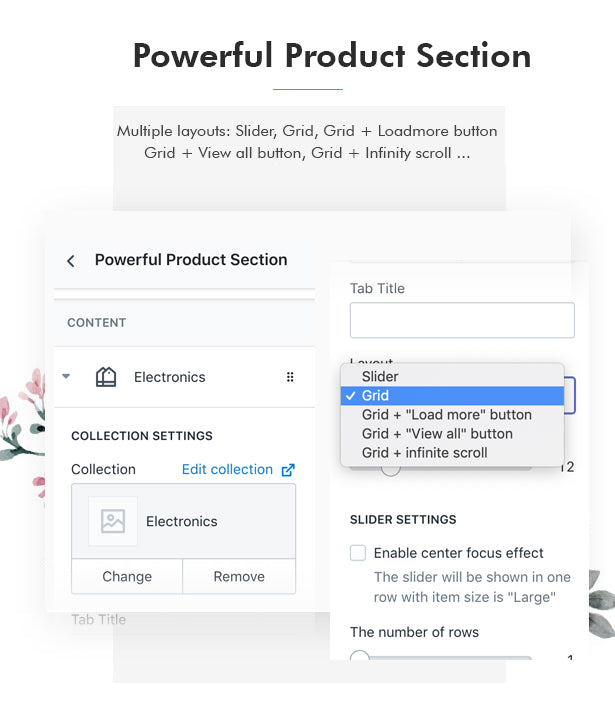 Beloria supports multiple layouts of product parts: slider layout only, slider + show all features layout, grid layout only, grid + load more feature, grid + show all features, grid + infinite scroll.
 Bloom with more than 3 fashion demos that all feature a variety of impressive features and strong designs. Besides, you can have many powerful features to build banner, mega menu, flexible pick list, product layout and more
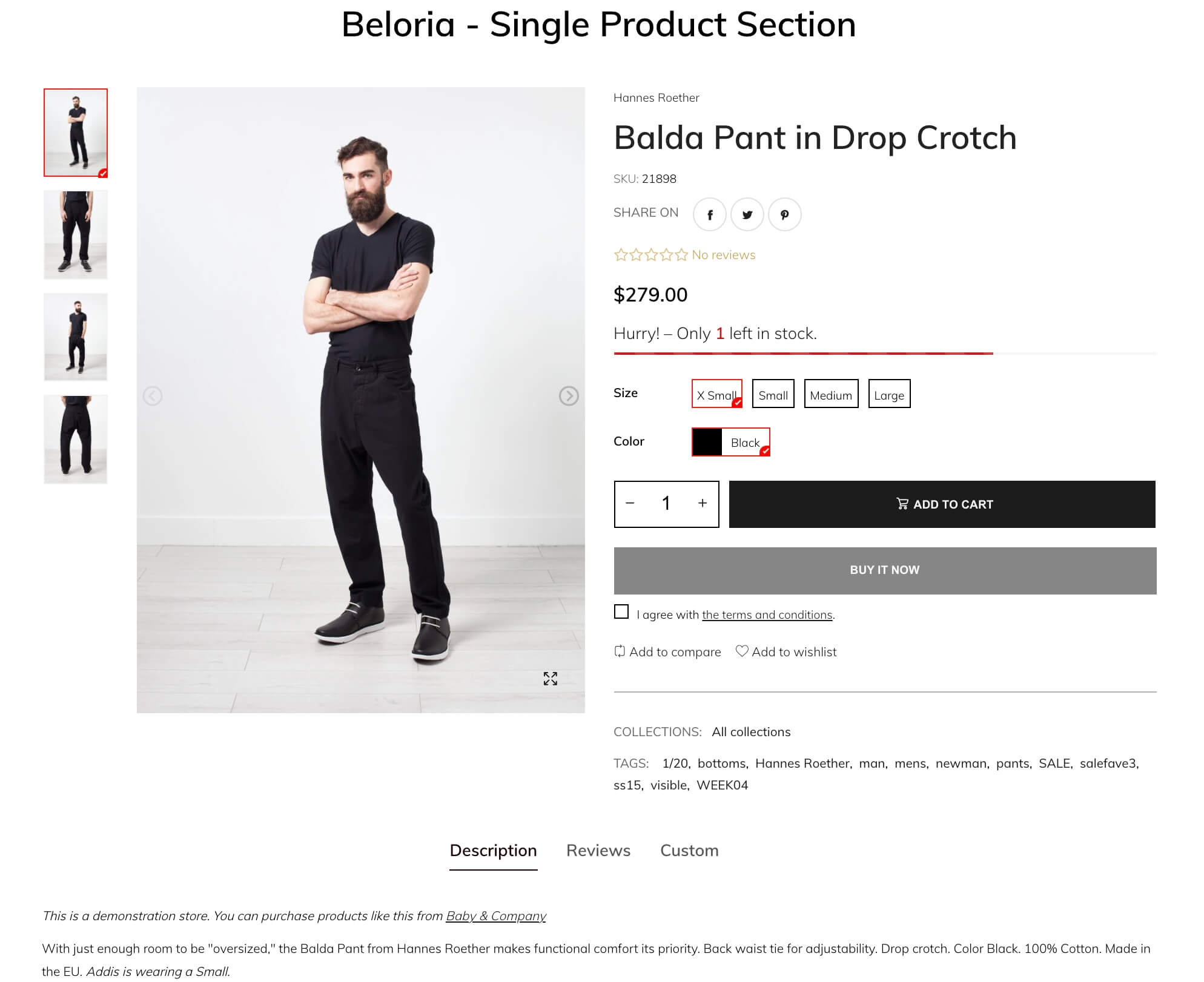 It’s easy to add a single product section to the home page with a few clicks. There are 6 different styles to help you display the individual product section in your own way. Click here to view a demo.
 Beloria supports 10+ desktop header styles and 5+ mobile header styles and unlimited footer styles, customers will feel your store professional and unique in the first second they see a self-made header and footer.
 Beloria supports full SEO with title and paragraph text, alt tags, link building, title tags, meta description, open graph, canonical site meta tags, responsive. Attracting potential customers to your e-commerce store, your store will be visible on the first page of the search engine.

 Beloria supports drag and drop items, displaying image banner, background, products and also link list. You can mix all the items together to build your own unique menu.
 Your site will display fine on all devices.

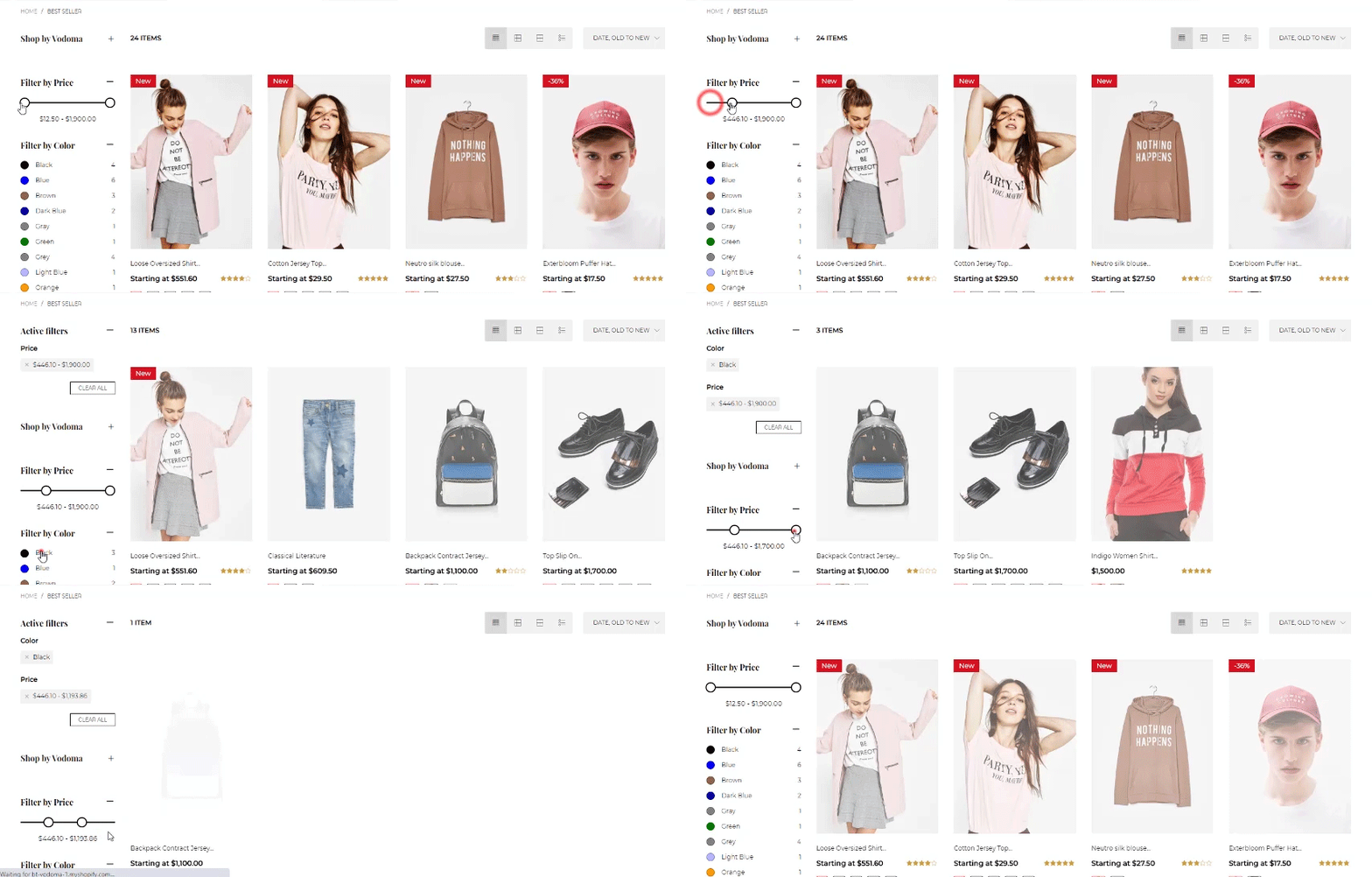 No need to add product tags for a hundred products, the “Auto Collection Filter” feature will receive and display product option values automatically. This will help customers browse and find products that match their requirements easily. This feature also works great on the search results page. Click here to view the demo now.
 Beloria supports different styles for your choice: infinite scroll, minimal, pagination, sidebar, list, grid, large, medium and small store styles
 Show a different subcategory for each collection page. Just drag and drop collection items to build your collection tree in your store.
 Beloria supports 16+ product layouts with many styles and types: Basic, Buy together, Variable, Grouped, Gallery, Sticky Details, On Sale, Big Image, …. Furthermore, Beloria also supports dynamic product price, Next/ Pre products, sticky fast shop… will help increase your sales.

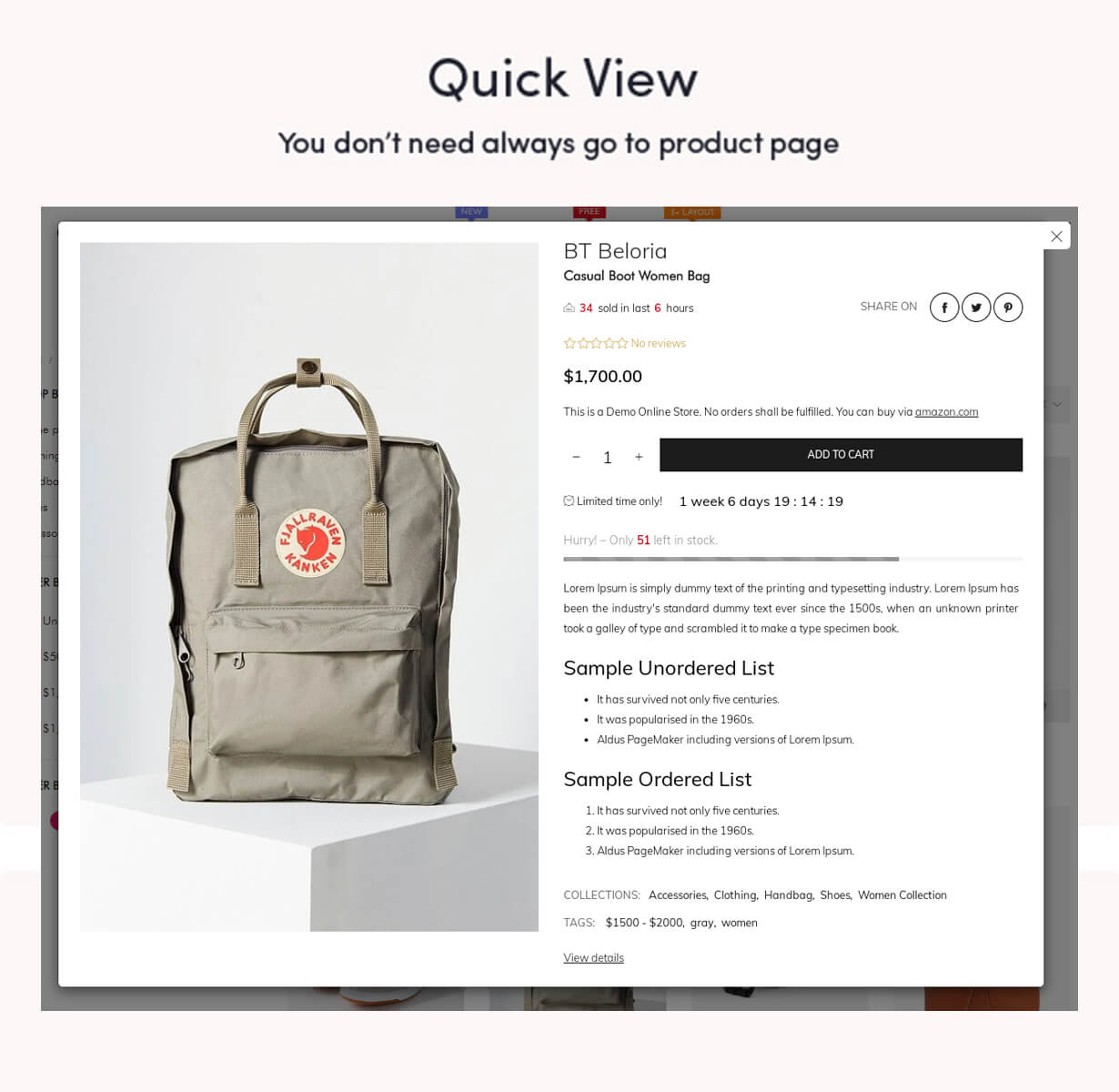 Beloria provides the quick popup display helps the customer to view your products quickly.
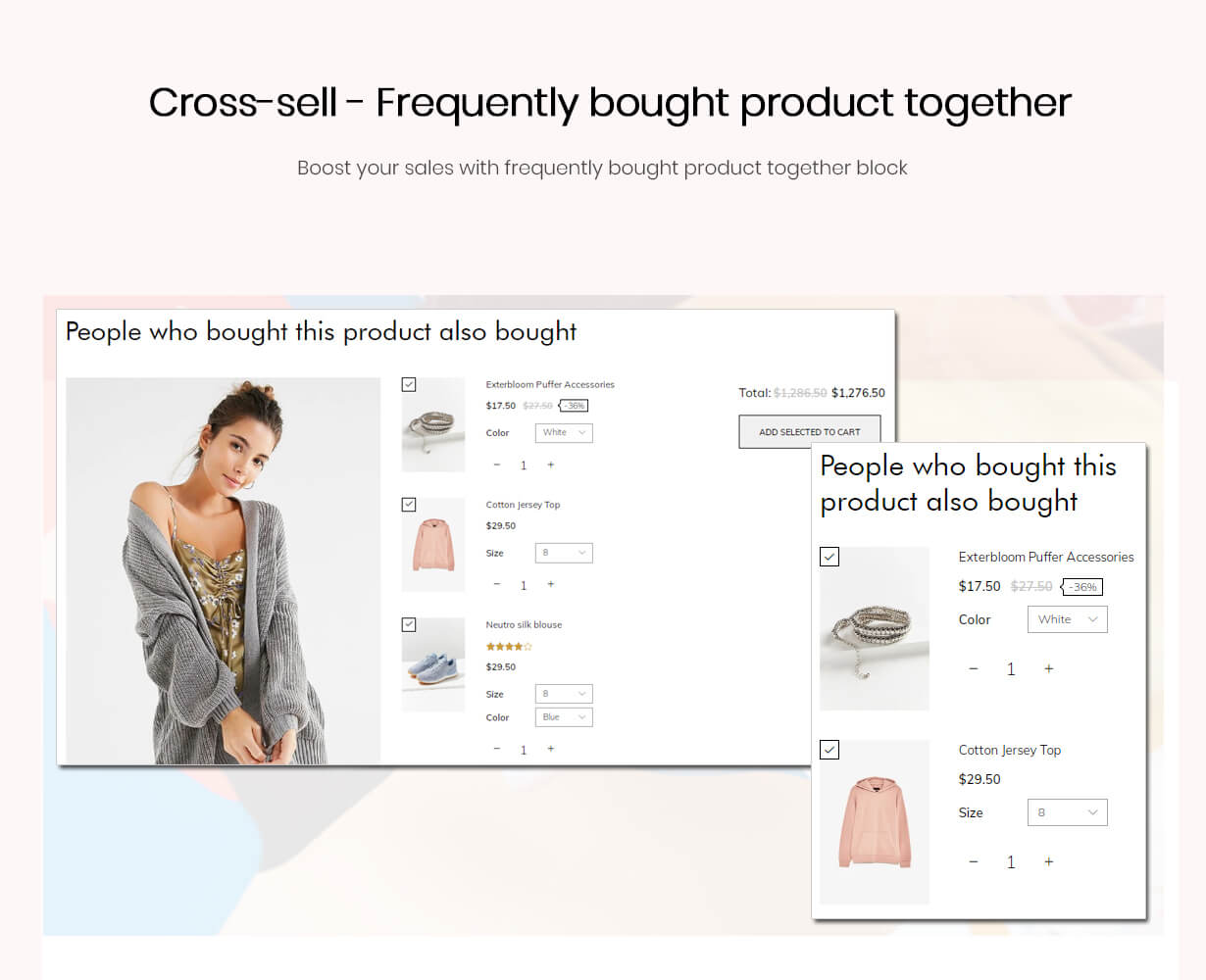 Sell more products with cross-selling blocking on the product page and the cart page.
 Customers share your products with their friend easily.
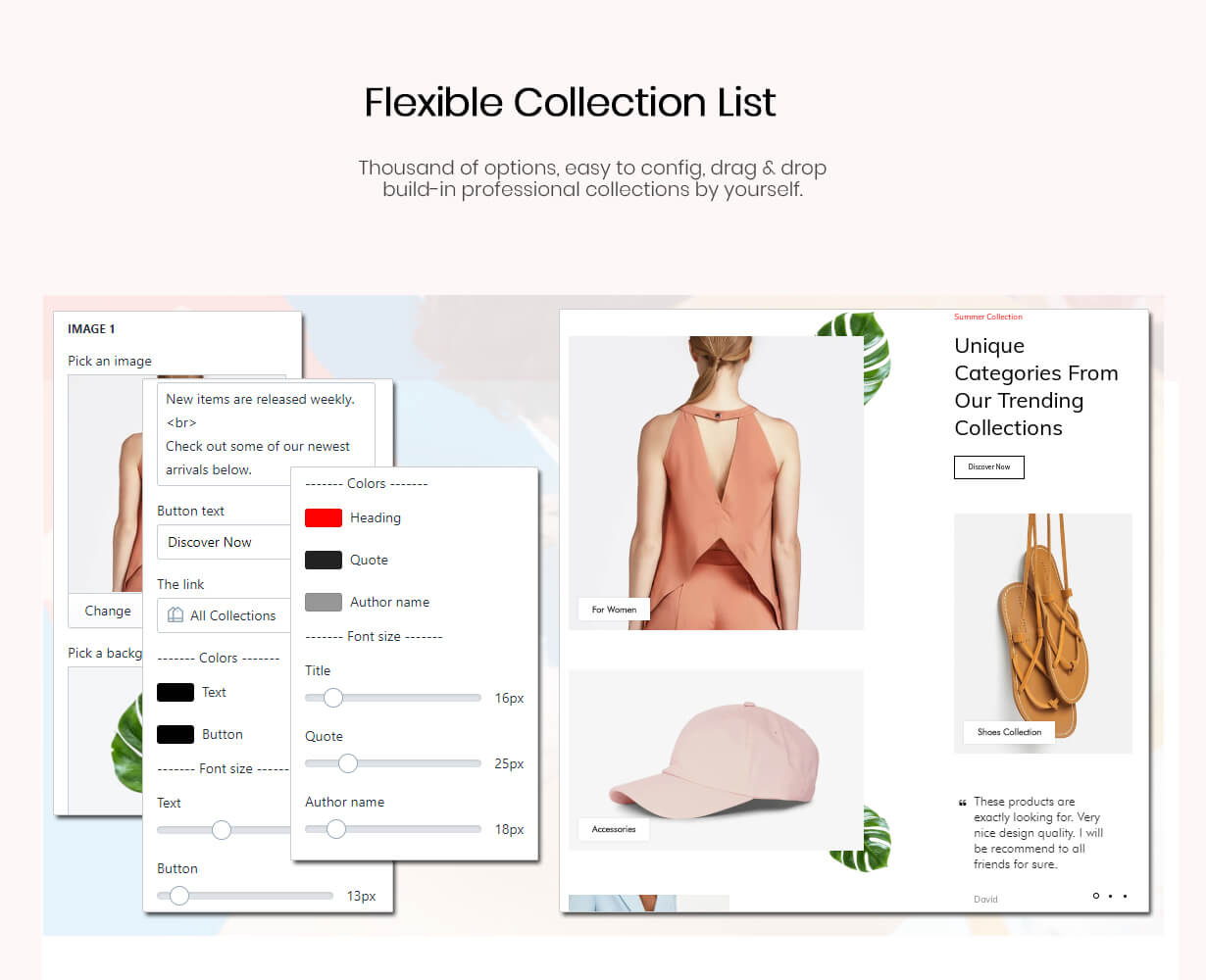 View your collection list in preset layouts.
 Don’t lose visitors to the wrong currency. Redirect to different stores, locations or currencies. Now you can use GeoIP Redirect to redirect to POS in 15+ coins. Simple and easy.
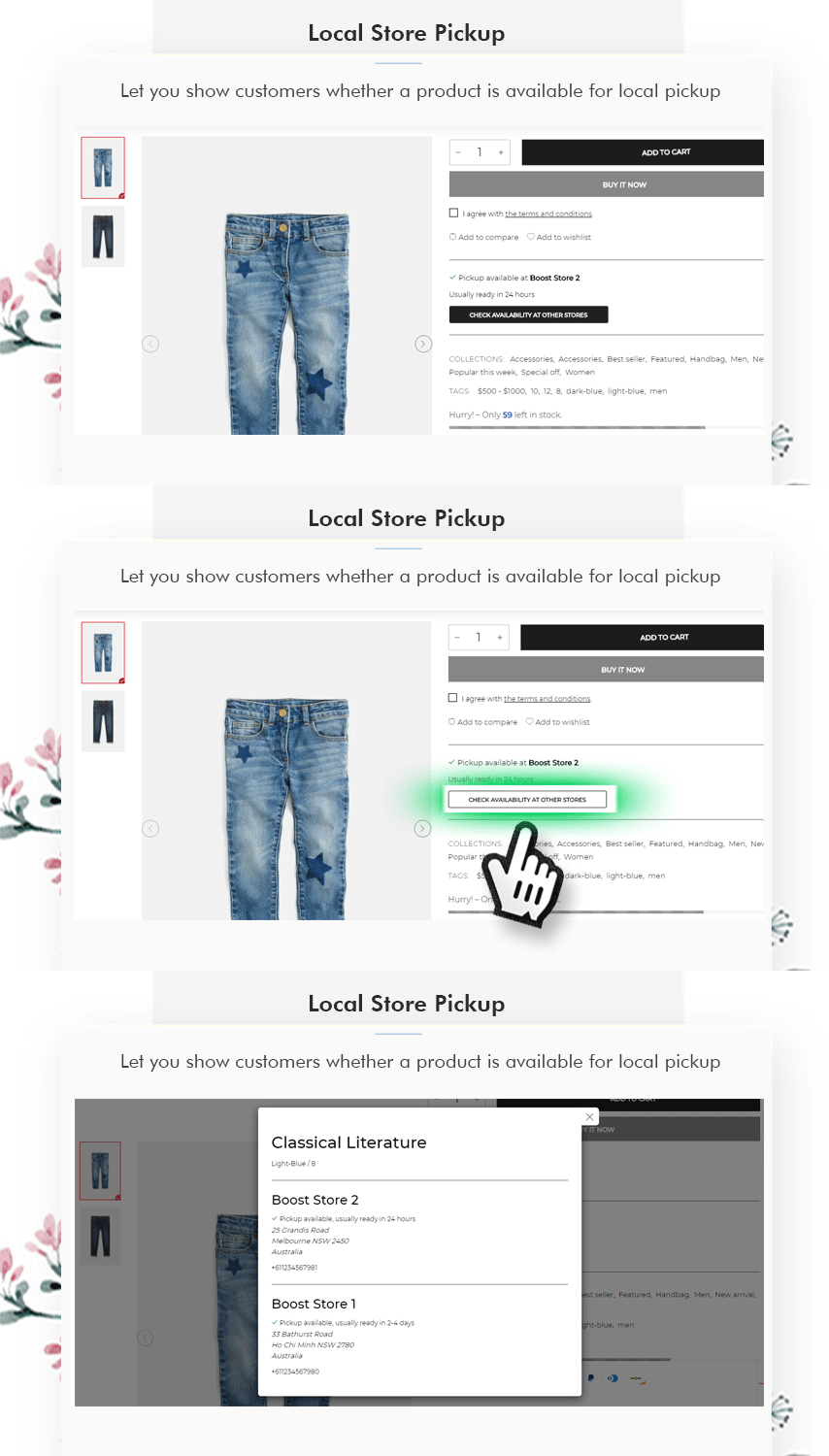 With the local store pickup feature, you can set up the option for customers to pick up their online orders at your retail store, curbside, or wherever you choose. Click here to view the demo page.
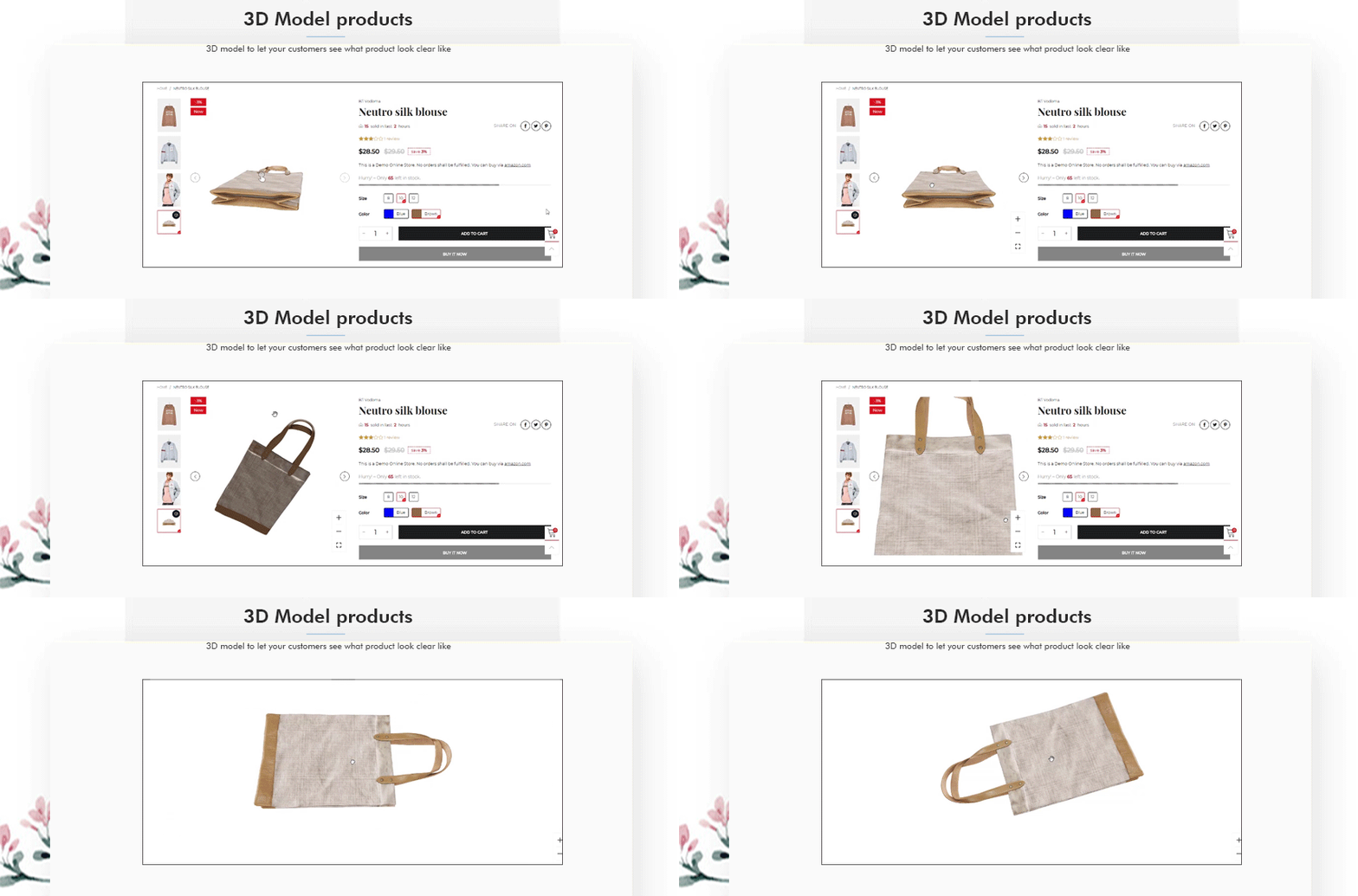 Click to view a 3D model demo

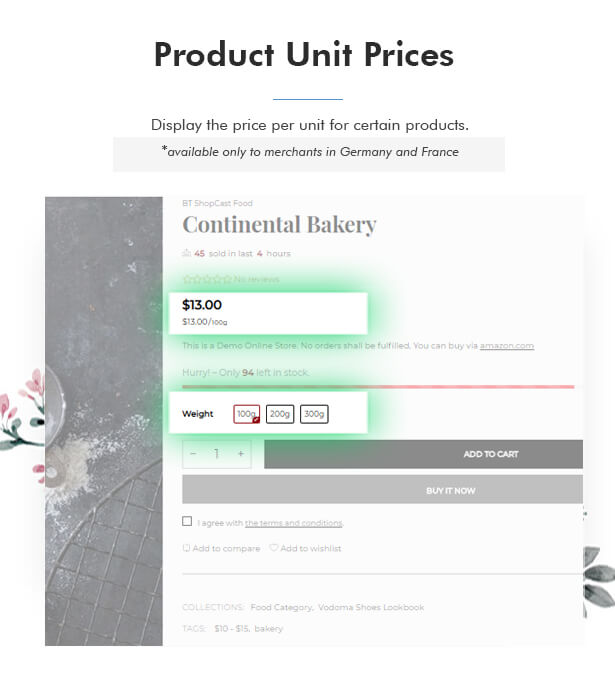 If you sell products in quantities or sizes, you may need to display the unit price for certain products. When you enter a unit price for a product, the unit price is displayed on the product pages, pickup pages, cart page, checkout pages, and order confirmation messages.
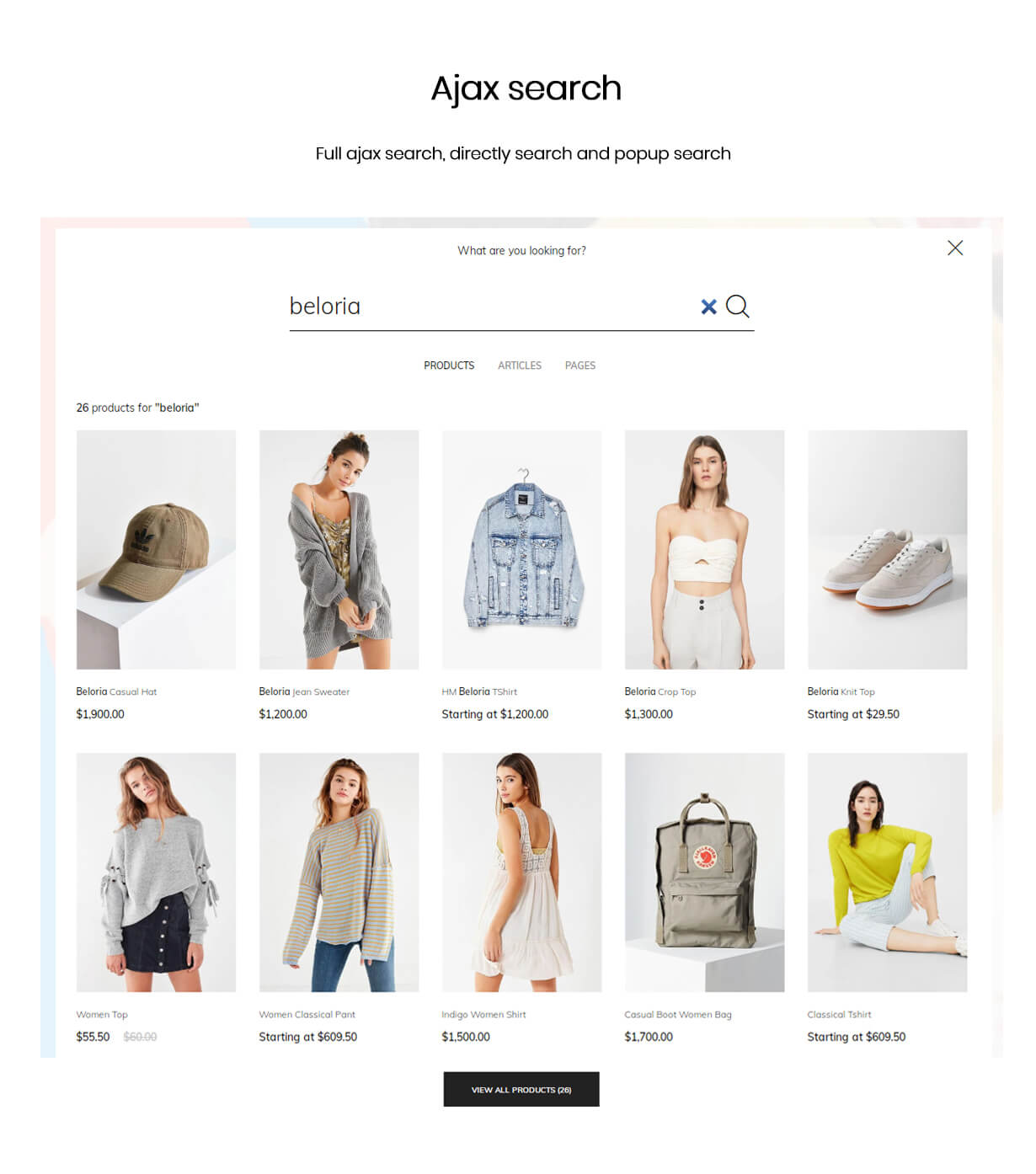 Live search offers with unlimited products, articles and pages. Absolutely no settings are needed.
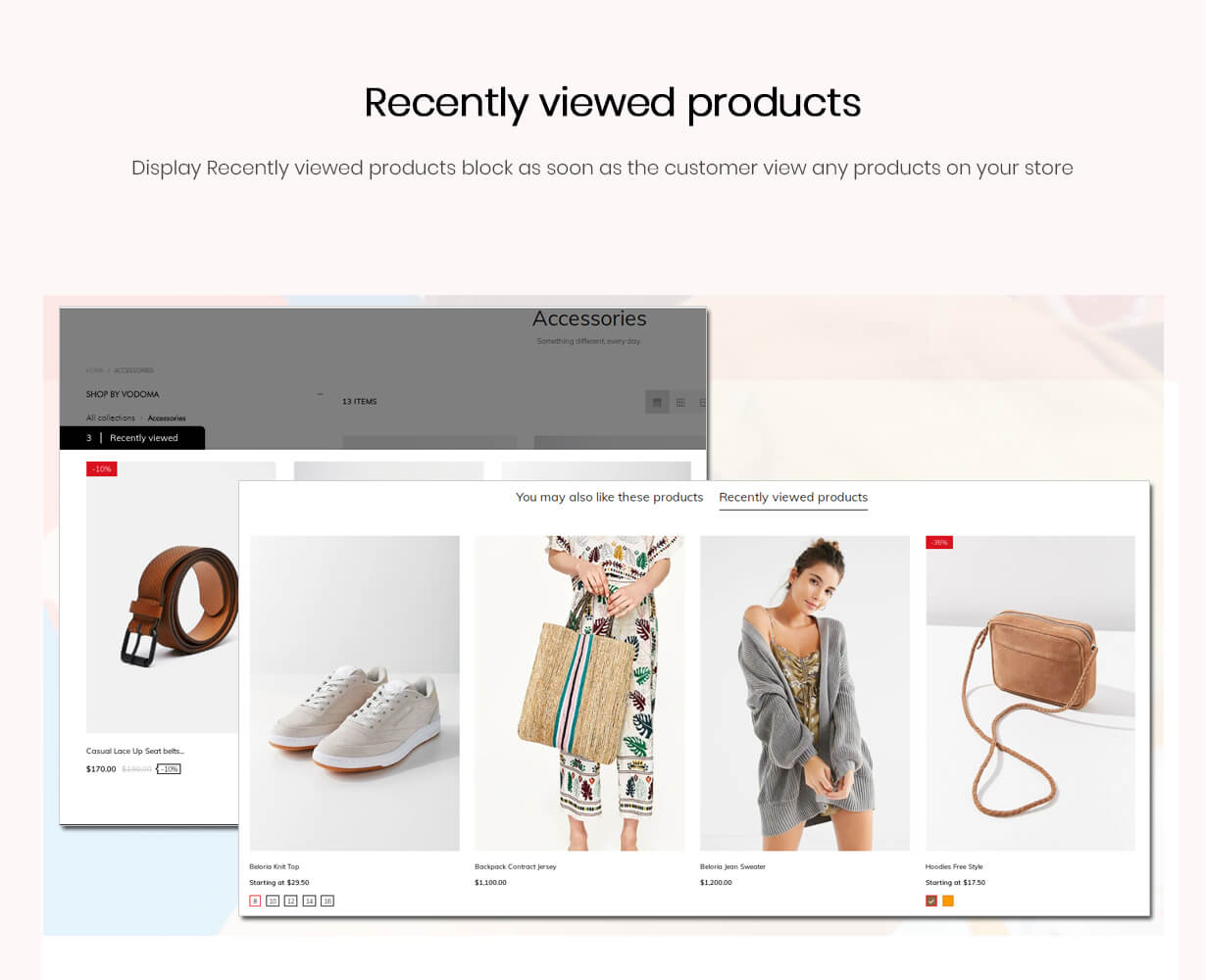 View recently viewed product history. Increase the customer’s contact time and hence the conversion rate.
 Creates urgency for customers to check out their cart before the reserved time expires. Flexible options to change the duration of the timer that suits your business needs.
 Beloria supports 3 blog layouts you can choose the best blog layout for your purpose.
 Beloria is almost compatible with Shopify apps: Oberlo, Dropshipping, Loox, Yotpo, Alireview, Klaviyo, Ryviu, Mailchimps, …
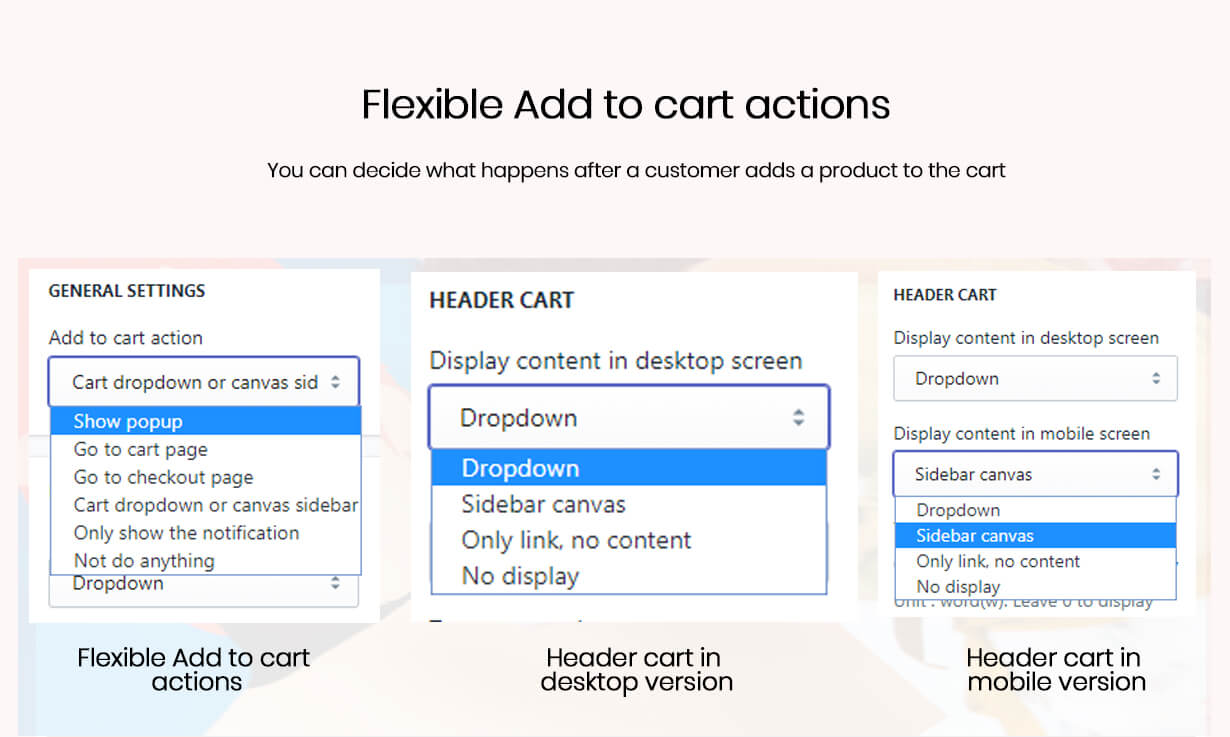 Beloria supports multi-actions, you can decide what happens after a customer adds a product to the shopping cart: show a popup window, go to the shopping cart page directly, go to the checkout page, open the cart dropdown or canvas sidebar, show only a message, or do nothing .
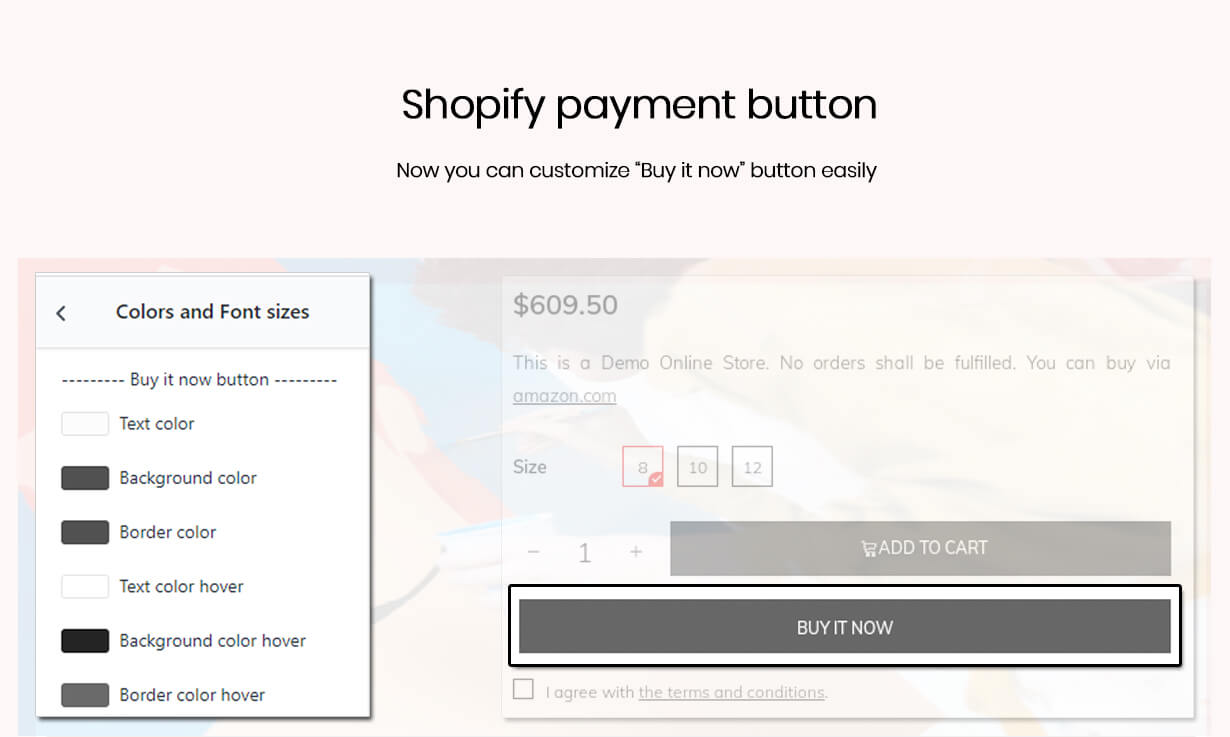 Now you can change the payment button style as you like: text color, background, border. This feature is only supported by Beloria and Boostheme themes.

 integrated the Growave app. Click here to view a demo. Note: The Growve app may now affect your store speed.



Shopify section, customization and performance theme optimization
Mobile Friendly – Responsive shopify theme
Theme features and functionality
- Optimal performance – high loading speed.
- Multiple languages: Translate Products (Title, Description, Meta Title, Meta Description, Option Name, Option Value, Version Title), Collection (Title, Description, Meta Title, Meta Description), Blog (Title, Meta Title, Meta Description), Blog post (title, content, meta title, meta description), static page (title, content, meta title, meta description), link list, store meta title, store meta description, payment gateway, theme, payment page.
- Free for testing and consulting to optimize website performance
- 10+ header styles
- Upsell – Increase your sale
- Automatic currency switches
- Multiple product style in header/footer/grid
- Advanced Search: Search all products, blog posts
- Added display indicator for each product grid
- Multiple actions in the cart
- Perfect preview from drag and drop section
- Megamenu Drag & Drop editor
- Number of layouts and setting options for category page, product page
- The mobile theme is optimized for mobile devices
- comparison feature
- QuickView animation
- Layer banner
- Creates banners
- Deal countdown
- Sticky filter sidebar on category page on mobile screen
- Smooth zoom and media button displayed on web and product pages
- Change additional view from horizontal style to vertical or grid layout on product page
- Changing the Ajax update amount on the shopping cart page
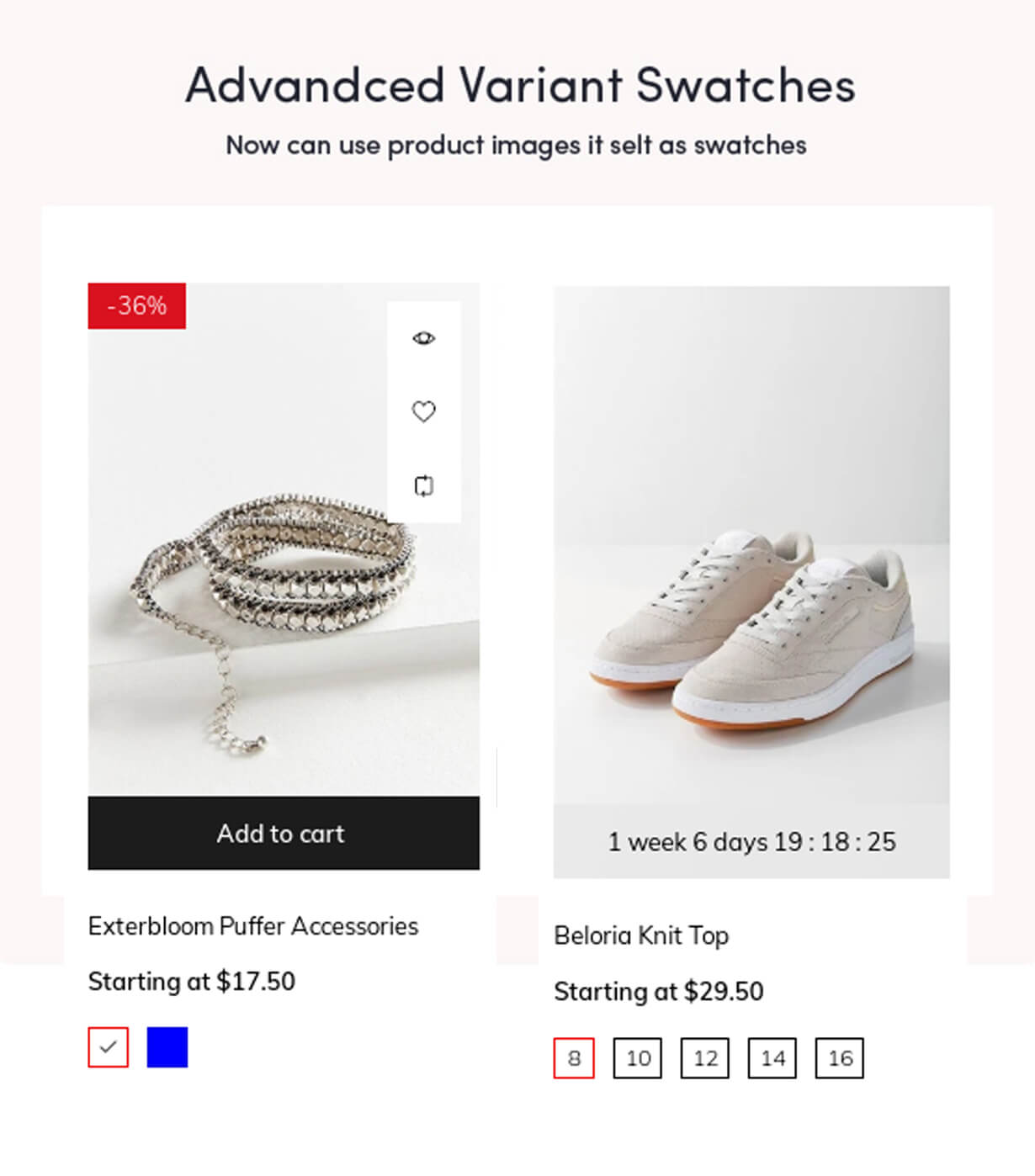
- Ajax change product images by Swatch option
- Accelerate your UX with high performance
- Size chart for each or every product
- Promotion news management
- Selling products in sales
- Shipping calculation products
- alert products
- Share my social with Adthis
- Google Rich Snippets
- Multiple types and new design for homepage layouts: about us, contact us, services, login, register, payment pages,…
- Fully responsive and retina ready
- Easy to install
- You can define the product grid from 2 to 4 columns
- Show/hide options on product page
- Facebook like box
- The last twitter
- Newsletter Popup: The default for Mailchimp, Klaviyo and Shopify
- Sticky menu
- Sticky cart on the product page
- Back up button
- SEO support
- Ajax loading product loading
- Different product ratio
- Custom product tab on the product page
- A sale indicator goes up on the product page and the cart page
- Cross browser and all platforms
- Compatible with all devices
Custom code
CSS – There is always room to add custom CSS code to your theme (custom file).Credits
Image sources
- https://www.unsplash.com
- https://burst.shopify.com
- https://google.com
change log
Version tf-4.6 – March 19, 2022
FIXED:
- Cache issues about compare, wishlist, recently viewed products feature.
- SEO level in collapsible tabs and main product tabs section.
Version tf-4.5 – February 28, 2022
CHANGED:
- Improve performance.
Version tf-4.4 – November 13, 2021
ADDED:
- Add the storefront filter on the search result page.

FIXED:
- Clicking the slider button in slider images on the product page, change the zoom library.
- Fix add to cart in the select option popup, vedette product section, update jquery modal video js library to the latest version.
Version tf-4.3 – October 24, 2021
ADDED:
- Structured data markup for Google merchant center on the product page.

CHANGED:
- Optimize the sticky cart on the product page on the mobile screen.
- Optimize LCP element based on the new audit of Google Pagespeed Insights. You can find the new change at https://github.com/GoogleChrome/lighthouse/releases/tag/v8.4.0.

FIXED:
- Integrate Judge.me markup data on the product page.
Version tf-4.2 – September 13, 2021
- Fix RTL issues on the collection and product page.
- Improve image and tooltip effects.
- Improve performance on the collection and product page.
Version tf-4.1 – August 26, 2021
FIXED:
- Filter on collection page: fix an issue when showing categories by using a link list.
- Fix the password page.
Version tf-4.0 – August 12, 2021
ADDED:
- Compatible with Shopify 2.0, administrators can add sections everywhere.
- Drag & drop product information such as title, price, options, tabs, reviews,... on the product page.
- Show filters from Online store > Navigation > Filters on the collection page.
- Allow administrator configures the quantity threshold to show the progress bar on the product page.
Version tf-3.5 – July 3, 2021
ADDED:
- Integrate Judge.me review app.
- Add a fixed close button in the collection filter on the mobile view.

CHANGED:
- Optimize performance for all pages.
Version tf-3.4 – June 01, 2021
ADDED:
- Show the Shop Pay Installments banner.
- Show the "View in your space" button on the 3d model product page on the mobile devices.
- Add the Hebrew language to available locales.

CHANGED:
- Display all heading tags in the secondary font.
- Beautify all CSS files.

FIXED:
- Font size configuration not working in the accordion tabs on the product page.
Version tf-3.3 – April 26, 2021
ADDED:
- 8 new home styles( 3 one product styles, 5 lingeries styles ).
- Shopify font picker to change the font easily.

CHANGED:
- Optimize performance for the homepage, collection page, and product page.
Version tf-3.2 – March 28, 2021
ADDED:
- Wishlist, compare button in the product grid item on mobile.

CHANGED:
- Optimize the js compression to load faster.
- Remove PWA because Shopify has no longer supports the proxy to run this feature.

FIXED:
- Collection filter auto: separate multiple values by a comma in meta fields with string type
- Social sharing with the image that has been uploaded in Online store > Preferences
- Tooltip on the cart page when removing an item
- Duplicate description in quick view when admin adds the "[description]" variable in the short description from Theme Editor.
- Klaviyo integration
- Missing the remove wishlist button on the mobile.
- Align collection items in the collection list section.
- Improve facebook pixel tracking.
Version tf-3.1 – February 25, 2021
ADDED:
- Add the preload LCP image on the home page, collection page, and product page to improve the Google Pagespeed Insights.
- Add animation for the header promotion.
- Integrated the Growave app.

CHANGED:
- Improve the wishlist tooltip button.

FIXED:
- Fix loading products and snippets in ajax because Shopify has ignored some params in AJAX requests.
- Fix loading products in ajax.
Version tf-3.0 – January 27, 2021
ADDED:
- Add the bottom mobile toolbar.

CHANGED:
- Improve loading product tabs section.
- Display the review form below product tabs on the product page.
- Bring the progressive web app back because Shopify allows using the service worker.
Version tf-2.2 – January 23, 2021
ADDED:
- Customization fields on the product page.
- Powerful mobile megamenu section.

CHANGED:
- Cart icons in the add to cart button and header cart.
- Remove the PWA feature because Shopify will not support the Service Worker Header in the App Proxy.
- The register and cancel buttons in the login and register form.

FIXED:
- The links of load more button and infinity loading in the powerful product tabs section.
- Displaying the "mpn" attribute of a variant in product snippets.
- Conflict the "sidebar cart" HTML class with other apps.
- Slider arrows in RTL, slider arrows of product images on the product page, and the product columns section.
- Collection auto filter with tags.
- Update to the corresponding product variant after change the main image.
- Challenge pages.
Version tf-2.1 – December 21, 2020
- Changed: Improve the URLs history when clicking filter or pagination on the collection page.
- Changed: Collection page: Not collapse filter items that customers are choosing their values.
- Fixed: the current filter item link when enabling the tag filter instead of an auto filter.
- Fixed: Fix viewing product images gallery in the product layout 10. Use the LightGallery plugin to view product images on the desktop screen.
Version tf-2.0 – November 14, 2020
- Added: FAQ section and template.
- Added: the page title configuration of the list-collections page.
- Changed: Deprecating using Sass for Shopify Themes to stay up to date with the latest changes in Shopify https://shopify.dev/changelog/deprecating-sass-in-themes.
- Changed: the style of a collection grid item.
- Fixed: product JSON snippet.
- Fixed: breadcrumbs metadata.
Version tf-1.0 – November 4, 2020
- Initial.Source: Envanto Market




Be First to Comment